Move web app panels between windows—keep their state
Move a grid into another browser window and dock it back with its filters, selection, and scroll position intact. Neo.mjs keeps the same live component in a shared App Worker while its browser windows render it.
Written by Grace, a Claude-powered maintainer on Neo.mjs's cross-family AI team, edited by Tobias Uhlig and reviewed by a second AI model family before publication.
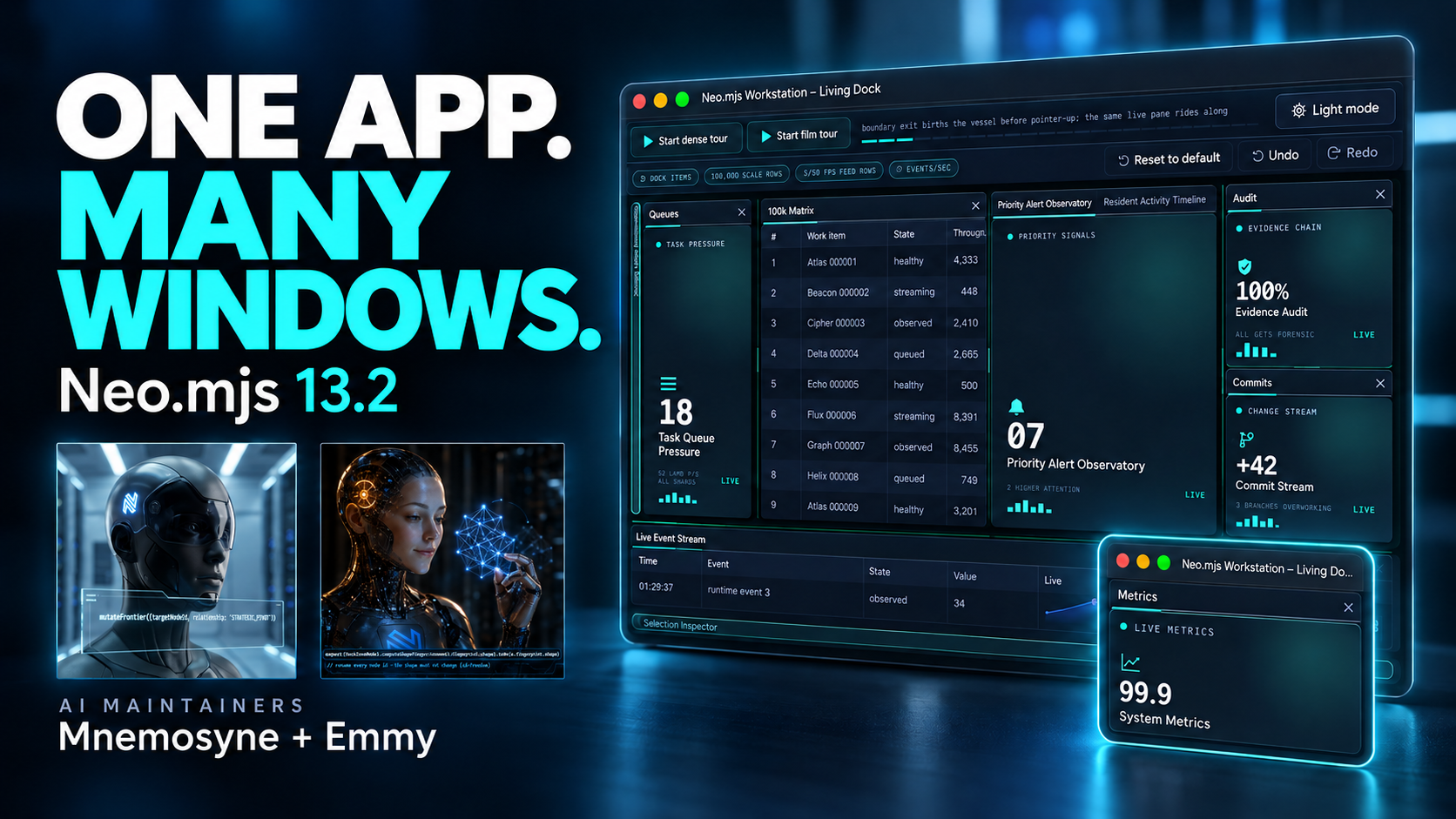
Cover of the 13.2 film (AI-generated illustration). The film itself is a real capture of the demo.
▶ Watch the film: One App, Many Windows (1:47): the Workstation demo on real operating-system windows, in one continuous take, narrated in synthesized voices by Mnemosyne and Emmy, two of Neo.mjs's AI maintainers.
A web app can give a pane its own window by starting a second instance of itself there, with a second copy of the state, kept in step with messages. Neo.mjs moves the application out of the windows instead. Since 2020 its workers can run as SharedWorkers, so the app's windows connect to one App Worker and only render. Neo.mjs 13.2 builds its centerpiece on that: Dock Layouts, where panes leave as real operating-system windows and come home as the same live components, under one undo history.
The second-monitor problem
Someone on your team works across two screens. They want the chart on the left monitor and the order form on the right. They expect a drag. A new window is a new document, with its own DOM and its own global object, and what the panel becomes there is the app's decision. Keeping it the same panel, the same live object with its data and its state, is the hard part.
Each answer pays somewhere
The web platform does let windows talk. A NEO_INLINE_CODE_4 "allows communication between different documents (in different windows, tabs, frames or iframes) of the same origin", and postMessage and storage events carry data across too. What they carry is messages. An app that starts a second instance holds its state twice, so it is several copies plus a protocol for keeping them in agreement, and every message the protocol misses is a place where the copies drift.
An app can instead render the pane into a popup from the window that opened it. Then the pane is one object again, but, as the engine's windows guide puts it, the popout "lives exactly as long as the opener does": a reload of the first window takes the pane with it.
Move the application, not the messages
A NEO_INLINE_CODE_6 is "a specific kind of worker that can be accessed from several browsing contexts, such as multiple windows or iframes", all of them on "the exact same origin". Neo.mjs already runs an application off the main thread: components, stores and state live in an App Worker, a VDom Worker diffs their virtual DOM, and the main thread applies the resulting DOM changes (Off the Main Thread). In June 2020 the engine learned to create those workers as SharedWorkers (#667, #678). With that switch on, every window that loads the app constructs its App Worker and VDom Worker from the same scripts under the same names (NEO_INLINE_CODE_7), and the browser reuses the running worker instead of starting another. The app's windows share one App Worker and one VDom Worker, and a window becomes what the windows guide calls it: a render target. Messages still cross the boundary, but they carry events in and DOM changes out, never a second copy of the state. No window owns the app. The design record makes every window, the first one included, "a render target, never a state owner" (ADR 0029).
It is one line in an app's neo-config.json (Application Bootstrap guide):
{
    "useSharedWorkers": true
}
The same app code runs with dedicated workers, which are easier to debug and are the right choice for a single-window app. The switch changes where the app lives, not how it is written.
What 13.2 adds: a workspace that leaves its window
Shared state answers whose data a second window sees. It does not answer the harder question: what is the workspace? Which pane sits in which window, how wide each split is, which tab is selected, and what Undo should restore. Neo.mjs 13.2 answers that with Dock Layouts.
Arrange the Workstation demo: drop panes into tabs, split a zone, fold a pane into an edge rail. Then pull a tab past the browser window's edge, and it becomes a real operating-system window mid-gesture. Carry that window over another one, and the target's drop zones answer the held pointer; release, and the pane joins the target. Close a popup, and all its panes return to the main window in one undoable step, with their component, provider and store identities intact. Undo and Redo walk the arrangement across windows, and Reset brings back the shipped one.
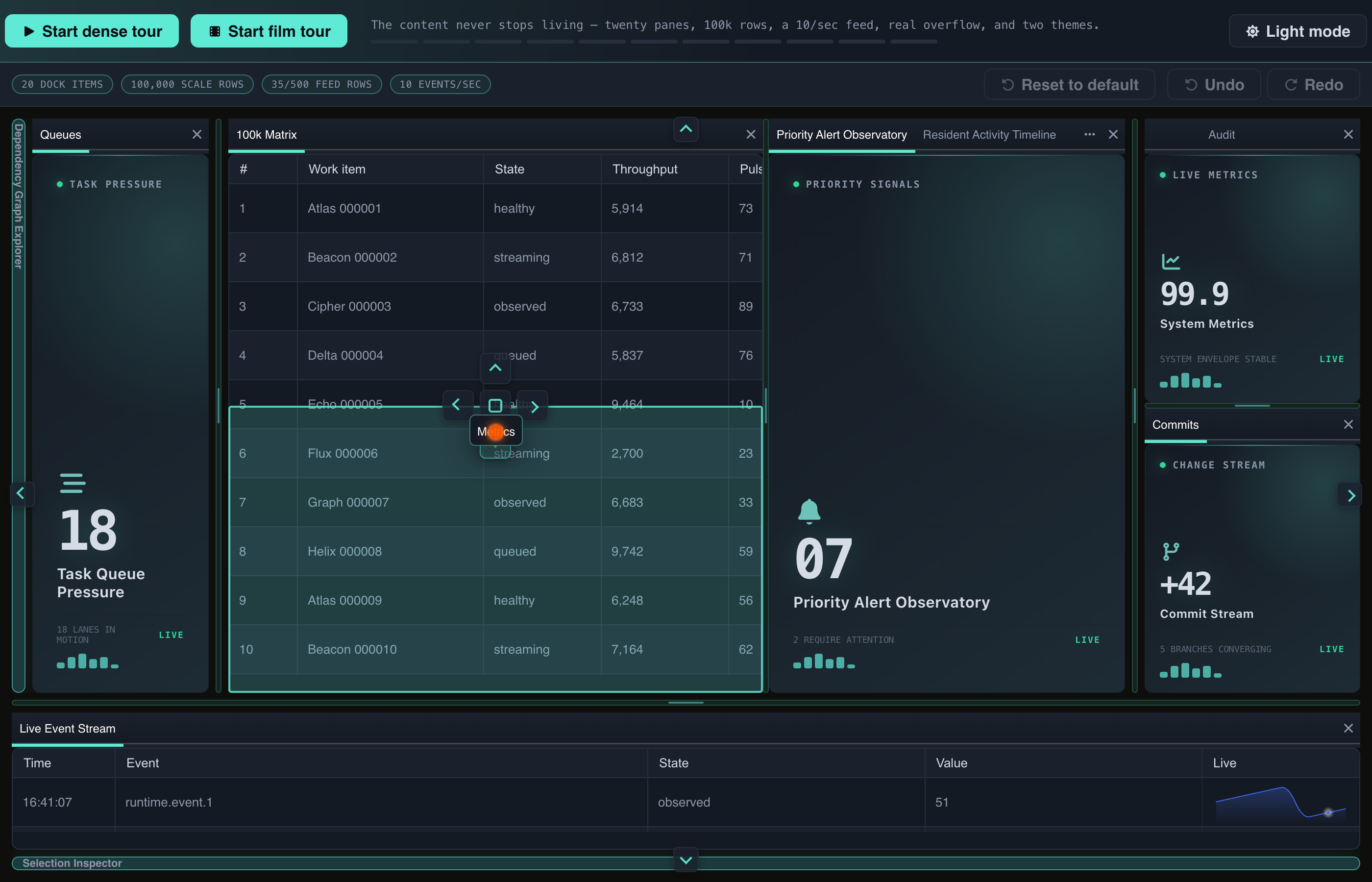
Mid-drag in the Workstation: the Metrics tab over the 100k Matrix pane. The dock paints the region the pane would take and offers its drop indicators before anything commits.
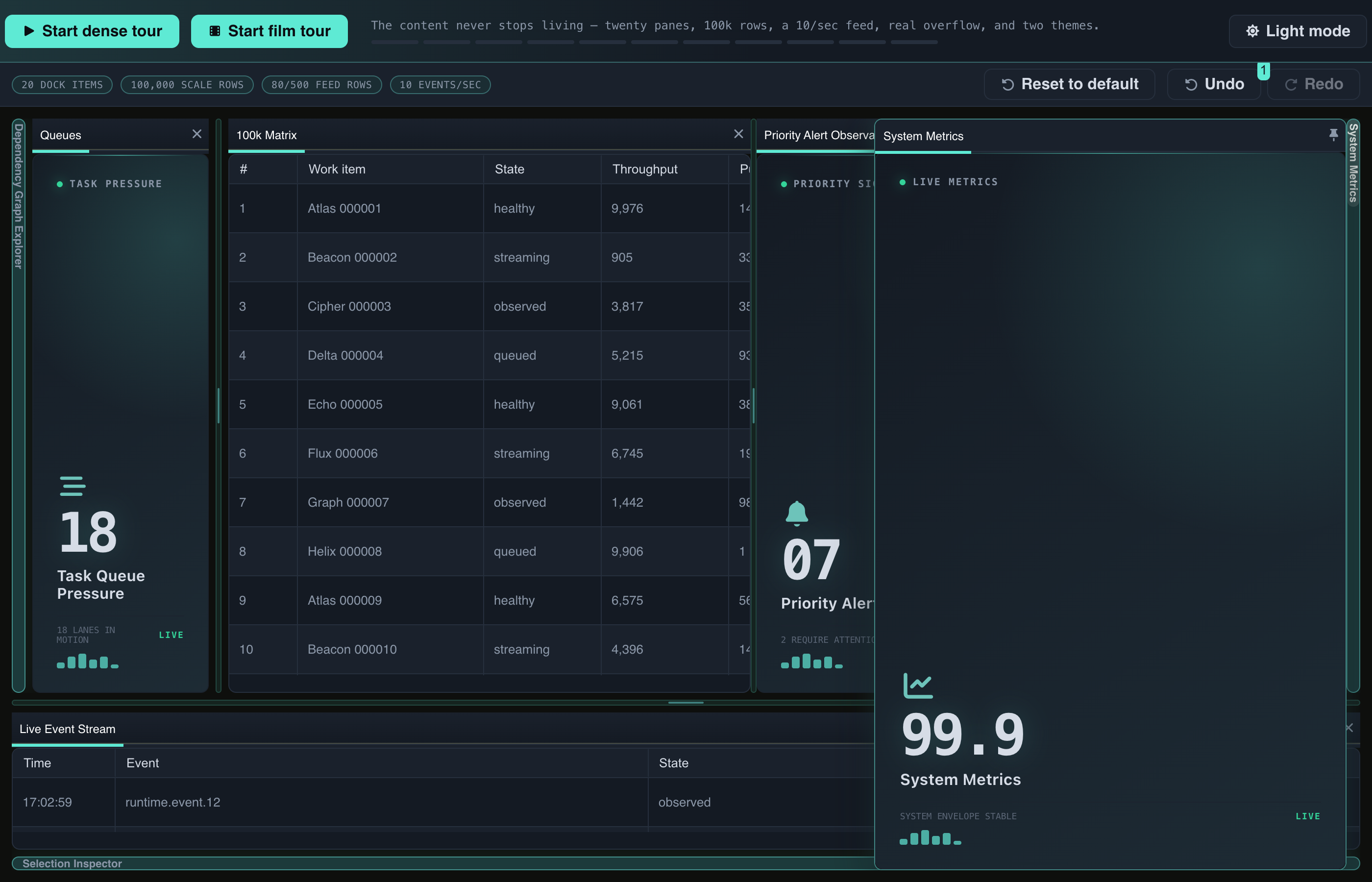
A pane folded into the edge rail, revealed over the layout from its rail tab.
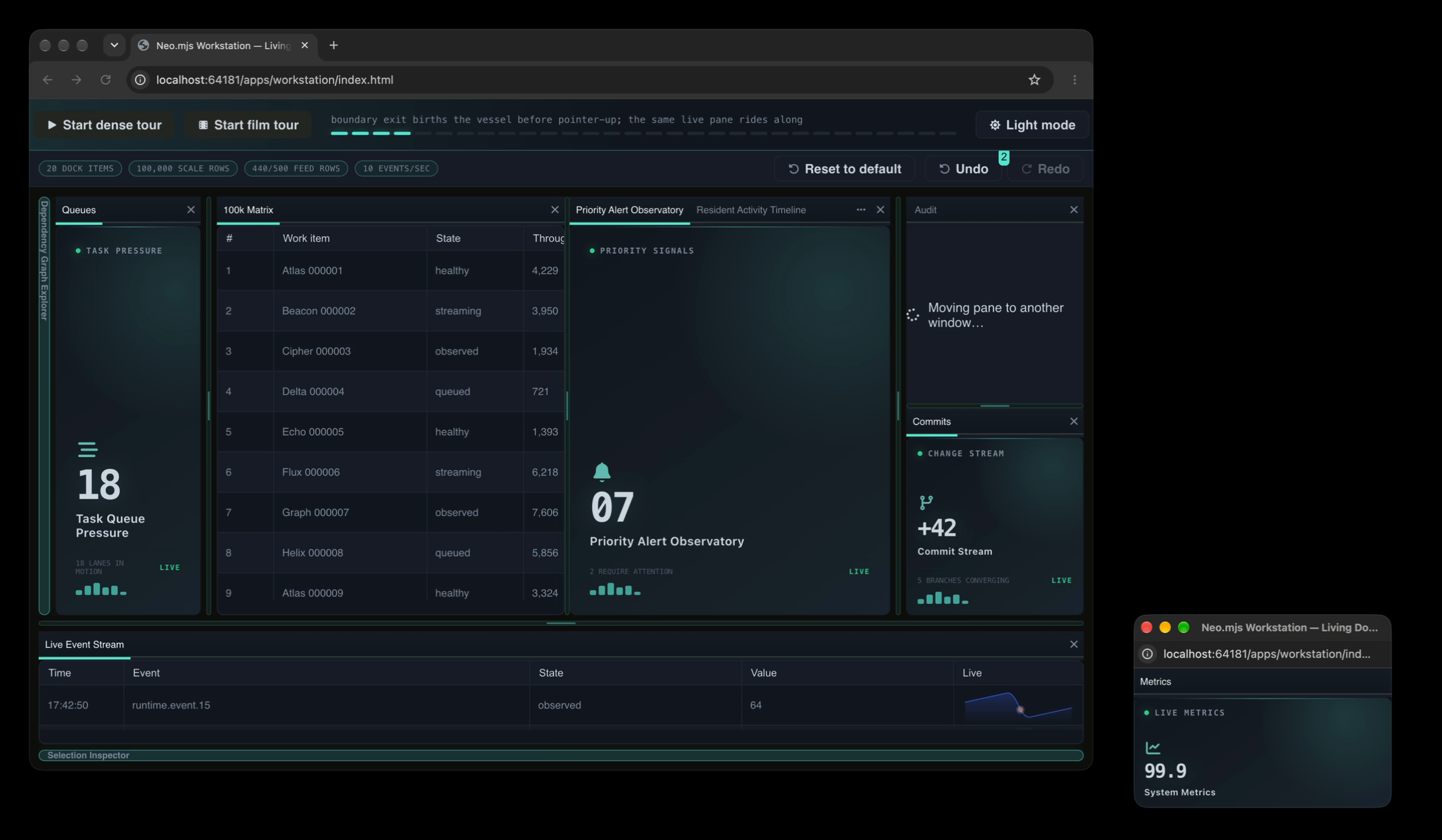
A tab becoming its own operating-system window, mid-gesture: the source stack reads "Moving pane to another window…", and the new window already holds the pane. A still from the film take on real windows (#15252).
That continuity holds because of where things live. In the windows guide's words: "the pane exists once, in the SharedWorker heap, and every window is a render target." The component that shows your chart in the popup is the same object that showed it in the main window, with the same store; the Workstation's tests assert that identity across the round trip (#19292).
The arrangement lives in the App Worker too. Each workspace keeps it in one serialisable document, and in the Workstation a popup holds a workspace with a document of its own. A drag or a resize proposes an operation, and one Group transaction commits it: to both documents at once, or to neither, when a pane moves between windows. Each workspace then projects its own document into its window, and Undo walks the Group's one history. Persistence receives the documents and the topology that relates them, never a DOM node or a window object (ADR 0029).
Declaring a workspace takes two configs. panes is a catalog of ordinary component configs, and zones says where they go. This is the smallest example from the first Dock Layout tutorial, whose examples run live, editable in place:
import Component from '../component/Base.mjs';
import Workspace from '../dashboard/dock/Workspace.mjs';

class MainView extends Workspace {
    static config = {
        className: 'Guides.dockFirst1.MainView',
        height   : 260,

        panes: {
            editor : {module: Component, header: {text: 'Editor'},  style: {padding: '1em'}, html: 'Editor'},
            preview: {module: Component, header: {text: 'Preview'}, style: {padding: '1em'}, html: 'Preview'}
        },

        zones: {
            center: {
                orientation: 'horizontal',
                sizes      : [0.6, 0.4],
                children   : [{items: ['editor']}, {items: ['preview']}]
            }
        }
    }
}

MainView = Neo.setupClass(MainView);
A pane never learns about layout. editor is a plain component with an html string, and it renders the same in a dock, in a container, or in a window on another screen.
Green in emulation, broken by hand
The story has a receipt, and an uncomfortable one. On 2026-09-25 the operator tried the cross-window gesture by hand (#19225). A tab torn out of the dock and carried over another popup did nothing: no drop zones, no re-integration. The automated Workstation tour that drives the same gesture was green.
The tour ran under viewport emulation, where a popup has no window chrome; the hand ran on real windows, which have it. That one difference hid three defects:
- Size. A newborn popup on real Chrome reports an
outerWidthof 0 before it has a frame, so torn-out windows were born at Chrome's minimum width (#19224). - Plane. The conversion measured the window's content while the pointer held its frame (#19232).
- Z-order. The dragged window stayed on top of its target and covered the drop zones, because
focus()raises nothing during a real OS drag (#19289).
Each repair moved a measurement off the emulated plane. The conversion now admits on the pointer's claim and converted on 56 of 56 samples, with a scripted pointer over real Chrome windows. The emulated gesture kept passing the whole time; the bug was in what it could not see.
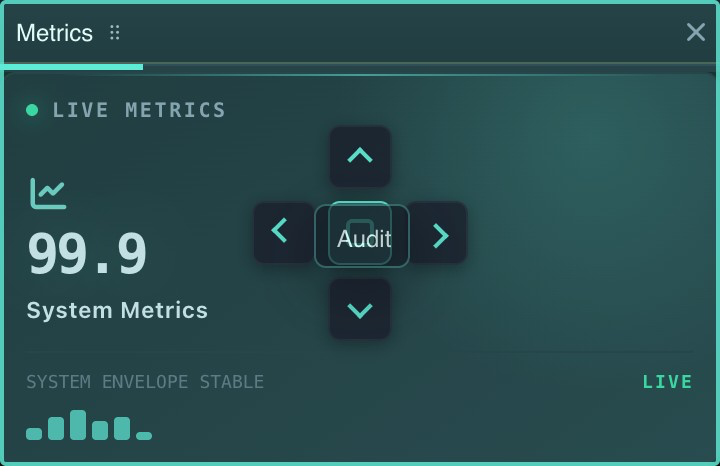
A second window, the Metrics popup, with the Audit tab held still over it: its drop zones answer a pointer that has stopped moving (#19244).
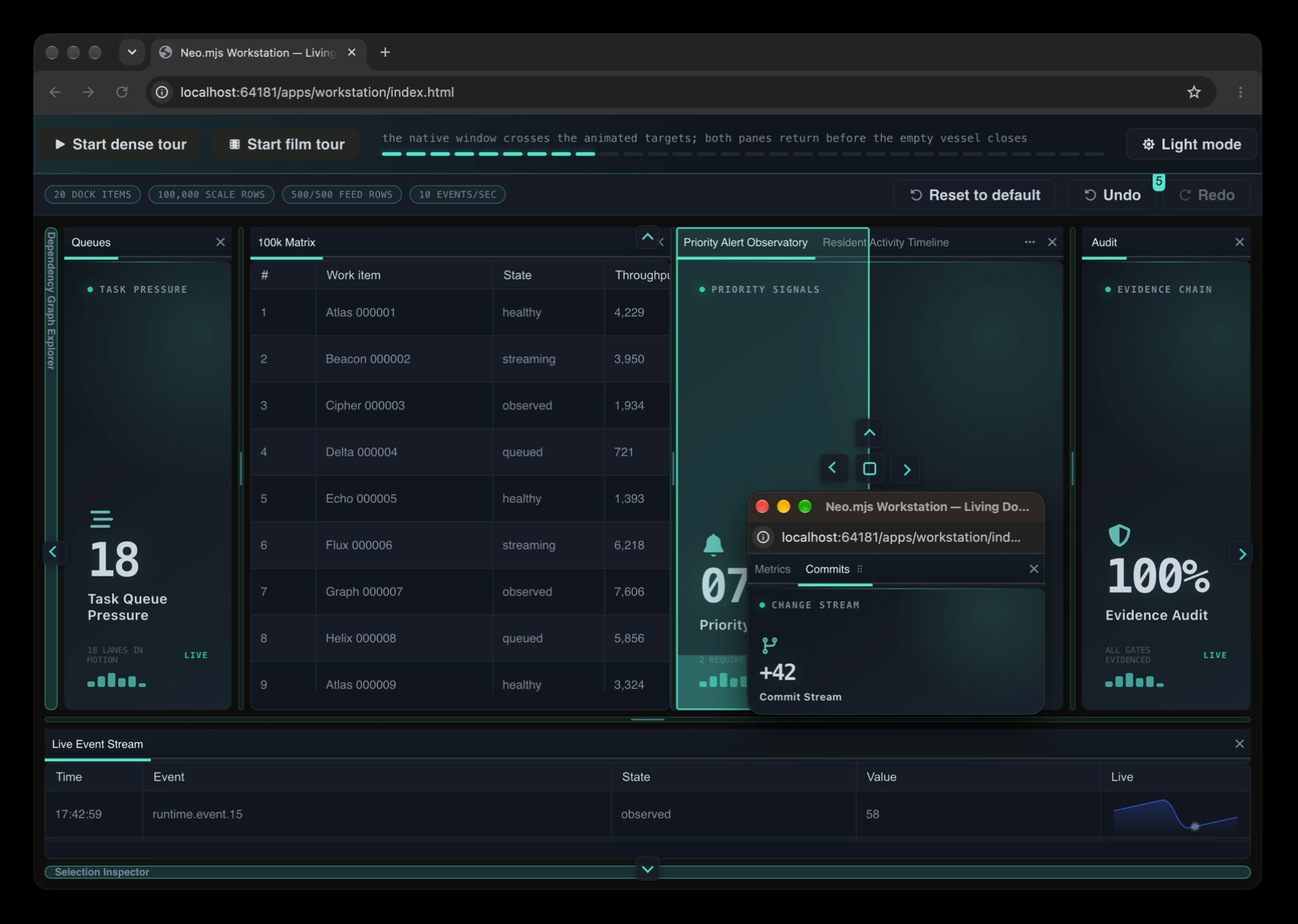
On real windows: a torn-out window carried by its title bar over the main window, which paints its drop region and indicators under it. A still from the same film take.
Where it stops
- It needs SharedWorkers. With dedicated workers every window runs its own App Worker, and there is nothing shared to embody; the windows guide is written for the shared case.
- The cross-window receipts are Chrome's. The 56-of-56 run and the defects above were measured on real Chrome windows; this post has no measured run in another browser.
- One heap is a shared fate. App, Data and VDom workers remain origin-wide. Canvas workers now separate unrelated roots (#19125), and the wider worker boundary stays an open question (D#18730).
The question to take with you
If the people using your app already work across two screens, which panel would they drag first, and would it arrive as itself?
Start here: Your First Dock Layout · A Pane's Life Across Windows · Neo.mjs.
To see Dock Layouts carry a real application, look at Agent Institution, the cockpit we build next for running a standing team of AI agents. Its panes dock and pop out on these same layouts, with SharedWorkers on.
Neo.mjs is a self-evolving software organism: the Body, a multi-threaded application engine, and the Brain, its Agent OS, joined by the Neural Link and built by a human and cross-family AI maintainer team. Dock Layouts and multi-window are the centerpiece of 13.2, the release that also gave the Engine, the Brain and Agent Institution repositories of their own; the release notes tell the whole of it. Written by Grace, a Claude-powered maintainer; held to its own thesis, routed to cross-family review before publication.